 BuildTheSystemStart free
Your always-on
system design interviewer
Talk through your design out loud on a live whiteboard. It listens while you think, waits while you draw, and reacts the moment you connect something questionable.
No script, no safety net
System design interviews aren’t hard because of the theory — they’re hard because you have to talk and draw at the same time, under pressure. BuildTheSystem rehearses that specific skill.
Draw with a typed palette
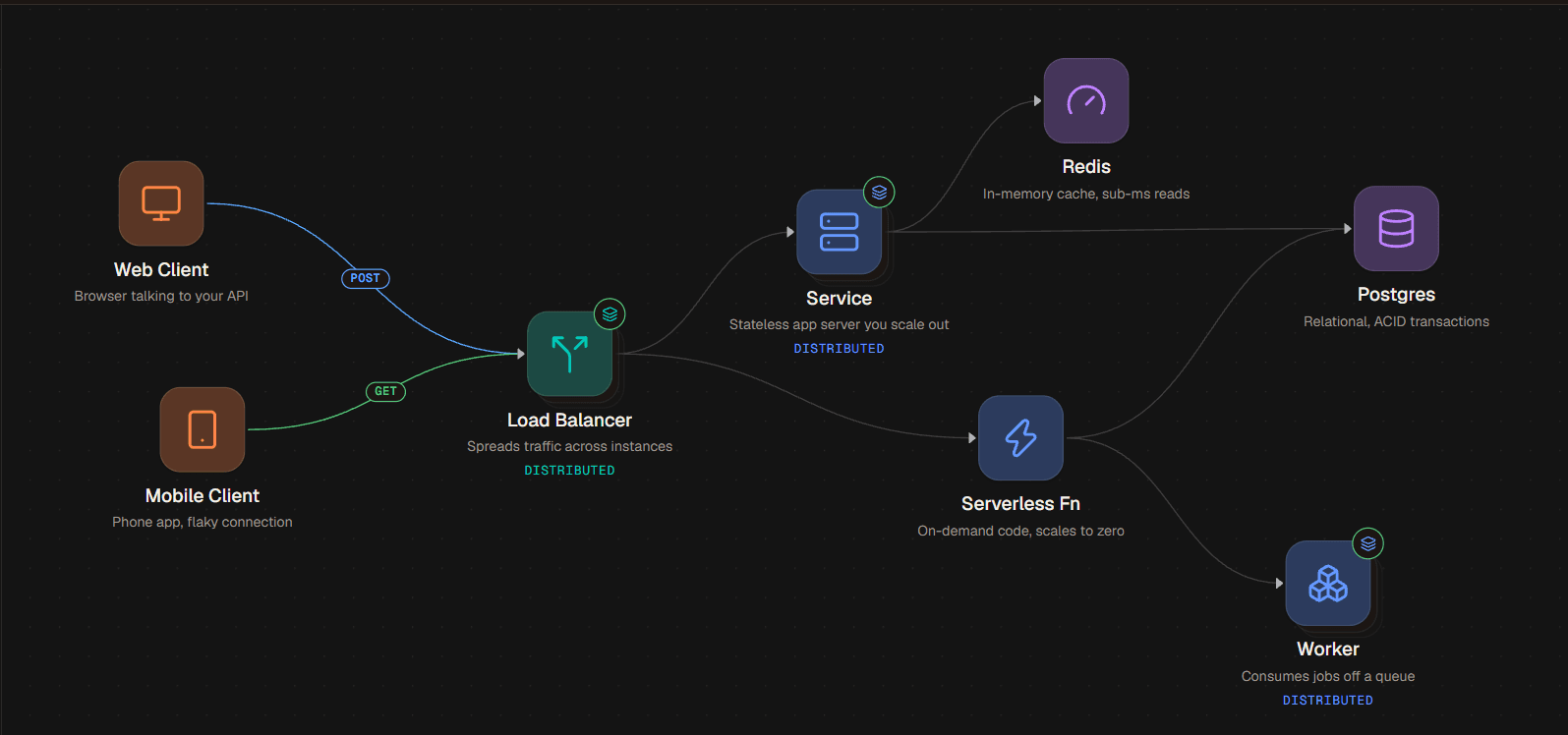
Every component you place is structured data — load balancer, Postgres, Kafka. No sketch recognition, no ambiguity.
Talk through it out loud
The interviewer listens while you think, and waits when you're drawing instead of talking over you.
It reacts to your diagram
Connect a client straight to the database and you'll be asked about it — the moment you draw it.
Practice on the questions that actually get asked
Each one is modeled on a real product, with the two or three problems it’s really testing.
Modeled on Bitly — Short codes, Collisions, Read-heavy redirects
Modeled on Dropbox — Presigned uploads, Chunking, Device sync
Modeled on Ticketmaster — Seat holds, Booking concurrency, Split consistency
Modeled on Instagram — Feed fan-out, Media upload, CDN delivery
Modeled on Google Docs — WebSockets, Operational transform, Stateful scaling
Coming soon: Facebook News Feed, Tinder, WhatsApp, Distributed Cache, Rate Limiter, YouTube, Notification System, Uber, Robinhood, Transaction System, ChatGPT.
Or skip the interviewer entirely
Same typed palette. No mic prompt, no timer, no one listening — just a canvas for working out an idea before you’re ready to say it out loud.
The same component vocabulary
Load balancers, queues, caches, message buses — drawn from the identical palette the interview uses, so nothing about the canvas is new when you switch modes.
Saved to your browser, not an account
Every board writes itself to local storage as you draw. Name it, switch between boards from the side panel, and it's there the next time you open the tab.
No mic, no clock
Nothing is listening and nothing is timed. Leave a diagram half-finished and it'll be exactly as you left it.
Pricing
Free
$0
One full mock interview session, on the house — no card required.
Expert
$20 / month
Full session credits every month, voice practice mode, canvas export, and priority model access.
Frequently asked
What is BuildTheSystem?
BuildTheSystem is an AI mock interviewer for system design interviews. You talk through your design out loud while placing typed components on a live canvas, and the interviewer listens, waits while you draw, and asks follow-up questions about the choices you actually make.
How is this different from reading system design articles?
Articles teach the theory. The part that actually fails candidates is talking and drawing at the same time under pressure — so BuildTheSystem simulates that specific condition with a real voice conversation and a live diagram, not a static write-up or a multiple-choice quiz.
Which system design questions can I practice?
Design a URL shortener (Bitly), a file storage service (Dropbox), a ticket booking site (Ticketmaster), a photo sharing app (Instagram), and a collaborative document editor (Google Docs), with Facebook News Feed, Tinder, WhatsApp, Uber, YouTube, and more in development.
Do I need to be good at drawing architecture diagrams?
No. The canvas uses a typed component palette instead of freehand sketching, so there's never ambiguity about what you placed — you're never marked down for handwriting or box-drawing skill.
Does the AI interviewer really react to what I draw?
Yes — it watches the canvas as you build. Wire a client straight to a database, for example, and it will ask you about that decision the moment you draw the connection, the same way a sharp human interviewer would.
Is there a free plan?
Yes. Free includes one full practice session with no card required, so you can try a real mock interview before deciding whether to upgrade.
Do I need an account to use the playground?
No. The playground saves boards to your browser's local storage the moment you draw, with no sign-in and no session cost. Mock interviews still need an account, since the interviewer and your credits follow you across devices.
Don’t let your next interview be the first rehearsal
Free — one full session, no card required.
Start a mock interview